
Old games don’t die – they just look a little blurry on modern screens. That’s where fan projects come in. Across Discord servers, Patreon pages, and niche forums, creators are taking beloved PS1, PS2, GameCube, Wii, and 3DS titles and giving them the HD treatment. The results vary, but when it works, you get something remarkable: games that feel authentic to the past while running beautifully on today’s displays.
What “HD” means for old games
HD doesn’t mean throwing a filter at an old RPG. Done right, it’s about clarity. A fan-made PS1 HD texture pack can make Xenogears’ anime-style portraits crisp without turning them into something unrecognizable.
When you download it for classics like Parasite Eve or Breath of Fire IV, you’re usually getting a mix of AI-upscaled backgrounds, hand-redrawn details, and carefully tuned fonts. The goal is to make the game feel like you remember it – not a jarring reskin.
Nostalgia and accessibility go hand in hand. Clearer text, brighter maps, and HD cutscenes help both new players and longtime fans enjoy games that otherwise feel stuck in the 90s.
Remaster, remake, or texture pack?
The labels around upgrades are messy. Here’s the practical breakdown we use when evaluating them:
Type | Who makes it | What changes | Example |
|---|---|---|---|
Texture pack | Fans | Replaces textures, sometimes fonts/UI | Xenogears HD texture pack |
Remaster | Official | HD assets, QoL updates, performance fixes | Luigi’s Mansion 2 HD |
Remake | Official | Rebuilt assets, new systems, sometimes re-imagined | Silent Hill 2 (2024) |
Fan packs don’t add new mechanics, but they can rival remasters for visual fidelity. Official remakes, meanwhile, can swing from faithful (Demon’s Souls PS5) to reinvented (Final Fantasy VII Remake).
How fan HD packs are made
Behind every good pack is a blend of automation and patience. AI tools like ESRGAN handle the first upscale pass, but creators usually hand-paint or clean artifacts frame by frame. That’s why projects like the RE4HD Project took nearly a decade.
UI and fonts are often rebuilt manually. Some projects even go beyond textures. The Moguri mod for Final Fantasy IX, for example, painstakingly reworked FMVs so they blend naturally with the sharper in-game graphics.
“When we tested it, cutscenes finally felt like part of the game again instead of a fuzzy break between battles.”
Getting it right is all about balance. Over-sharpened rocks or “too HD” props can look out of place. A thoughtful pack respects scene composition – making Dragon Quest VIII’s skies feel bright and vast without turning every stone path into a mosaic.
Hubs and projects keeping it alive
Some packs have set the bar so high they’re now benchmarks.
Vierock HD Retro
Vierock’s work is one of the most consistent sources of PS1 HD texture packs. Their projects are often focused on cult RPGs and are built to work seamlessly with emulators like DuckStation and RetroArch. What makes Vierock’s approach stand out is the attention to UI readability – menus and fonts are rebuilt so they don’t just look sharper but also play better on modern screens.
RE4HD Project
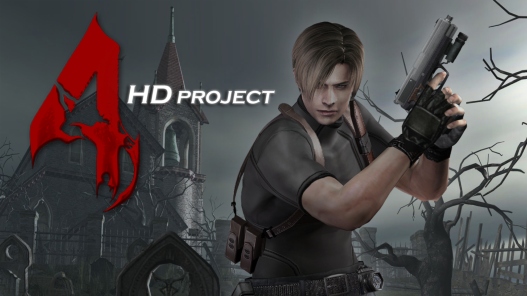
A gold standard. Created with reference photos from real-world locations, it’s unmatched in accuracy and dedication. The result is a faithful recreation that feels like Capcom itself could have shipped it.
Majora’s Mask HD by Nerrelc
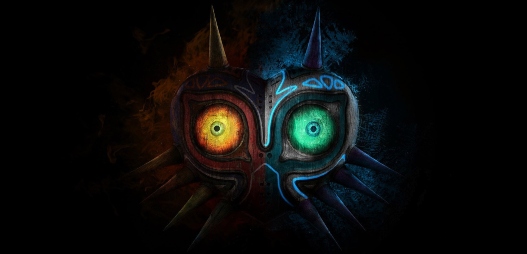
Respected for keeping the original art style intact. Many HD packs are criticized for being “too clean,” but Nerrel’s textures preserve the N64 feel while still being playable in 2025.
Final Fantasy IX Moguri Mod
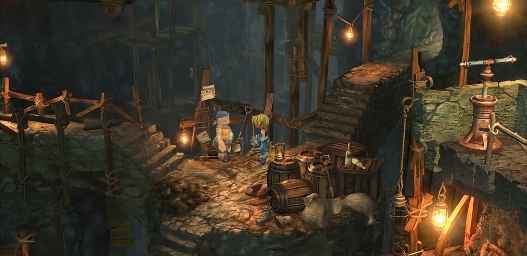
This project doesn’t just touch textures – it improves FMVs, fonts, and even adds modern UI scaling. It’s the definitive way to play FFIX on PC today.
FFVII SYW / Remako
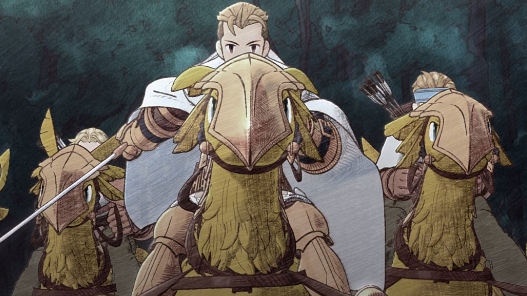
Two projects with the same goal: making Final Fantasy VII’s pre-rendered backdrops crisp without changing their atmosphere. For many fans, they’re the reason to replay the game outside of the full remake.
Witcher 3 HD Reworked Project
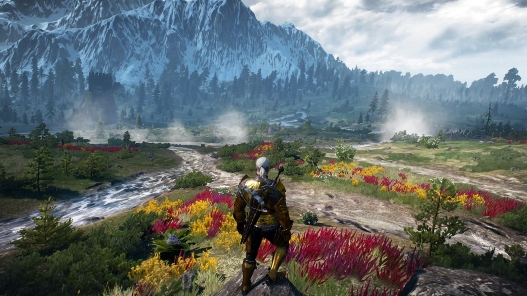
Still active in 2025, this pack covers more ground than almost any other. Not only textures but meshes and props get an upgrade – proof that fan projects can rival official patches.
Installing packs without headaches
Getting started is easier than it used to be, but each emulator has its quirks.
- PS1: RetroArch + Beetle PSX HW. Drop files into the
texture-replacementsfolder with the right game ID. - PS2: PCSX2 nightly builds. Place textures in
/textures, enable “Load Custom Textures,” and precache if your VRAM allows. - GameCube/Wii: Dolphin. Copy the game ID folder into Load/Textures and tick “Load Custom Textures.”
- 3DS: Citra. Use the
user/load/textures/path and extract packs there. - PC: Many modern ports have fan managers or drag-and-drop options.
✅ Quick checklist
- Match the exact game ID (case-sensitive).
- Enable custom texture loading in settings.
- Test UI-only packs first, then scale to full world textures.
- Add CRT shaders if seams appear after upscaling.
What “good” really looks like
When we reviewed packs like Xenogears HD texture pack or Dragon Quest VIII 3DS, the best projects had three things in common:
- Consistency – no mismatched props or fonts.
- Readability – menus and dialogue were crystal-clear.
- Transparency – a changelog, install notes, and real screenshots.
A bad pack can feel like someone pasted a stock photo into a PS1 background. A good one feels invisible – it just makes the game look as you remember.
Performance and settings matter
Not every PC handles 8K textures. VRAM is the choke point. On a 6 GB GPU, we found 4K was smooth, while 8K stuttered in Parasite Eve.
Precache options can reduce hitches, but also eat memory. Filtering choices (bilinear vs. bicubic) affect text clarity. With DQ8 3DS HD textures, bicubic helped smooth font edges.
“We’ve found it’s smarter to start with smaller packs and scale up. Nothing kills the mood faster than hitting a boss fight and watching the game stutter.”
FAQs
Not always. 4K packs run fine on mid-range cards. 8K is where VRAM gets pushed.
Sometimes. On PC ports like Resident Evil 4 Ultimate HD Edition, texture mods stack well. But console remasters usually lock assets.
Always from the creator’s official page, GitHub, or Nexus. Avoid re-uploads on shady sites – they often bundle malware.
That’s a design choice. Try a different pack, or use shaders to soften the look.
No. Most creators share free versions later, but small tips keep long projects alive.
Looking ahead
Fan projects aren’t slowing down. AI-assisted upscaling plus manual cleanup makes work faster, while community funding lets modders take on huge RPGs. Projects like Vierock HD Retro, Moguri, and SYW show that fan-made HD can be more faithful than some official releases.
Official remasters will always matter, especially when they add features like ultrawide support, 60 fps, or netcode, but fan packs excel at preservation. They keep games like Xenogears, Dragon Quest VIII, and Majora’s Mask not just playable, but beautiful. For us, that’s the story: retro games don’t fade. With the right community project, they come into focus all over again.